Navigate projects
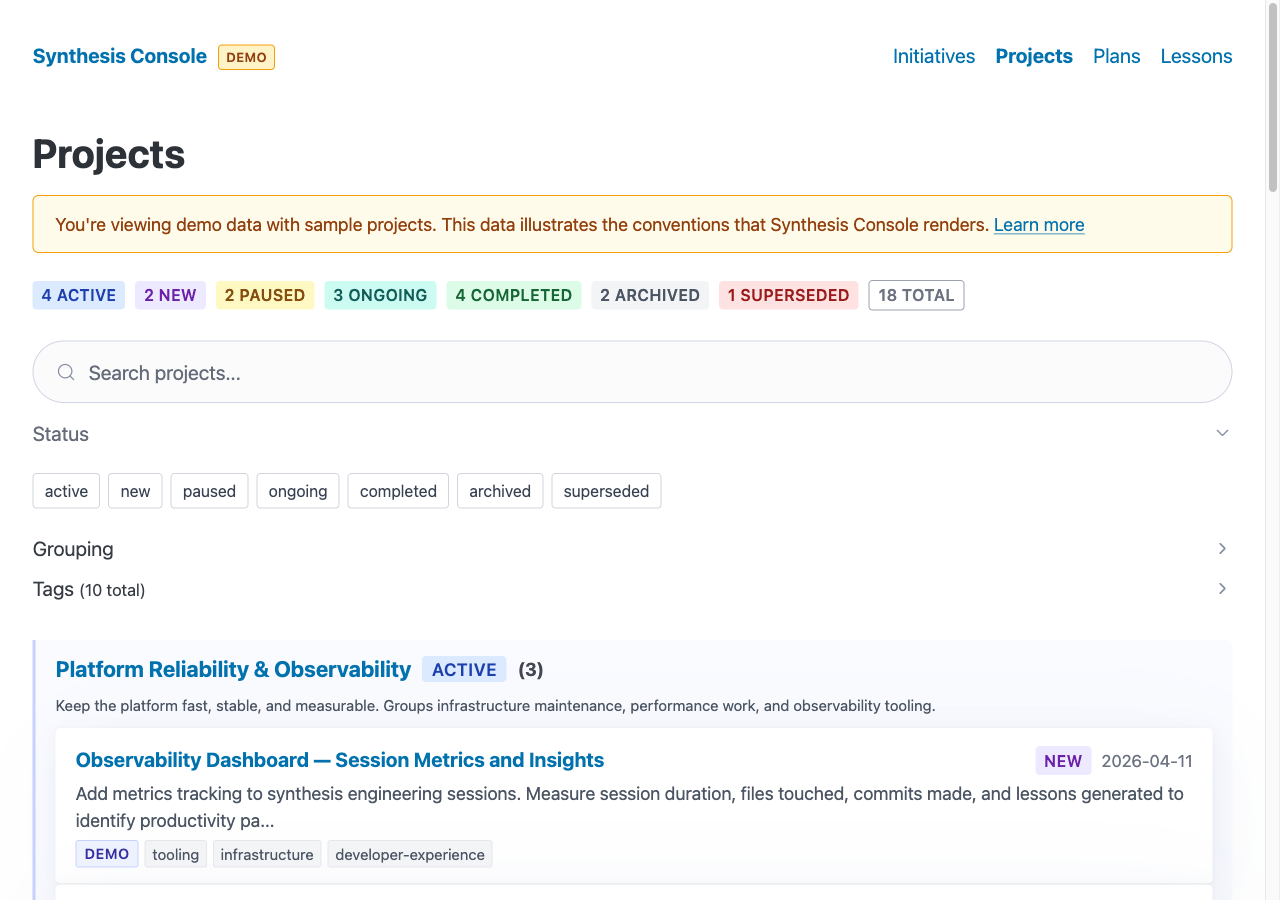
Browse initiatives and projects, filter by status or tag, and open working context, reference notes, and session history.
Synthesis work, visible
A local interface for the files that carry your work forward.
Synthesis Console turns plain Markdown and YAML into a browsable workspace for projects, daily plans, decisions, commitments, lessons, and agent conformance. It reads your files in place. There is no account, cloud import, or database.
AI to assist, augment, and amplify human capability, not replace people
The role
Synthesis work accumulates durable project state: an index of projects, a short working context for each one, stable reference notes, session history, lessons, and a daily plan. Those files are readable by people, scripts, and AI agents.
The Console gives that state an interface without taking ownership of it. Edit a file, refresh the page, and the interface changes. Remove the Console and the work is still there, readable by whatever comes next.
What you can do
Browse initiatives and projects, filter by status or tag, and open working context, reference notes, and session history.
Review priorities, make decisions, mark tasks complete, and handle prepared drafts next to the evidence behind them.
See who owes what, what you owe, meeting preparation, and the ledger of work that needs attention.
Check repository sync, context integrity, and whether agent setups agree, with each layer shown as separate evidence.
Ragenie + Console
Agent harness
Ragenie is being built to run procedures and coordinate agent work across the synthesis system.
Human interface
The Console places projects, evidence, and decisions where a person can inspect and act on them directly.
They meet at the filesystem. Neither product becomes the landlord of the work.
Try it with sample data
The repository includes a complete demo workspace. Install Bun, then run:
git clone https://github.com/synthesisengineering/synthesis-console.git
cd synthesis-console
bun install
bun run demo
Open http://localhost:5555. When you are ready, point the Console at your own project directories through ~/.synthesis/console.yaml.
For installation channels, dependency checks and the wider work system, use the Synthesis download hub. Review the Console's workspace access and local listener settings before connecting your own files. Service startup is a separate setup choice.
Further reading
The product's origin, architecture, and three-dependency budget.
Why representative sample data belongs in the product itself.
A day of Console defects used to distinguish patch moments from redesign moments.
A practical model for conversation, repeatable procedures, and the visible state where people decide.
How one view can span contexts while each context keeps its own files.
Open source
The repository contains the source, setup instructions, data conventions, security notes, and design contracts for the Console's interactive surfaces.
Open Synthesis Console on GitHub